Tuesday, July 24, 2012

Facebook working on 'want' button?


 @CNNMoneyTech July 24, 2012: 2:47 PM ET
facebook-pay.top.jpg
NEW YORK (CNNMoney) -- Facebook's famous "like" button may be getting a new friend: a "want" button.
Reports indicate that Facebook (FB) may be in the works of developing a "want" button as a way for users to share coveted items with their friends.
In a report released Tuesday, Piper Jaffray analyst Gene Munster notes that a "want" button "could be Facebook's first true product to directly impact commerce on the site."
"Offering a 'want' button and enabling users to tell friends and Facebook what products they want would give Facebook data closer to what Google (GOOGFortune 500) has when users type an explicit commerce related search query," Munster wrote.
The speculation started last month when Web developer Tom Waddington discovered the code for a disabled version of the button and published a mockup of it on his blog. Waddington wrote that Facebook clearly has "big plans for social commerce."
He added that it appears the purchases and wants a user submits will appear in a similar manner as other content on Facebook.
Facebook would not specifically discuss the chatter about a "want" button. "We're always testing new platform features. However, we have nothing new to announce," a company spokesperson said.
With Facebook's eagerly anticipated second-quarter earnings report Thursday, a segue into social commerce may help the company after itsbotched IPO. Investors are hoping for more details about how Facebook can diversify.
The "want" button would essentially function as a wish list, so Facebook could collect data and learn more about the types of products its users would like to purchase.
Laura Martin, an analyst at Needham & Co., said she was surprised by the rumor, but thinks that it's a good idea for the company. Martin says investors are curious to hear how the social network giant can generate more revenue from its 900 million users, and pointed out that commerce would be an important area to focus on.
Ken Sena, an analyst with Evercore Partners, also said the addition of a "want" button could "make a lot of sense" for Facebook since it would allow Facebook to show advertisers what its users actually intend to purchase.
But if Facebook were to make an announcement about this or any other new features, Munster says it would likely happen at the company's next developer's conference.
The company has yet to announce a date for its next conference but it is expected to take place sometime this fall Last year's F8 conference was held in September. At last year's conference, the company revealed a redesigned news feed and the Timeline feature for profile pages. To top of page

Tuesday, July 10, 2012

25 Awesome iPhone tips and tricks


By Marc Saltzman | Digital Crave – Wed, Apr 11, 2012 1:56 PM EDT
Whether you're a seasoned user or brand new to the iPhone world, chances are you're probably not using your smartphone to its fullest.
Don't worry, you're not alone, as these pocket-sized computers boast many hundreds of features buried in the operating system.
And so here we share a number of our favoriteiPhone tips and tricks, some of which you may know already. Hopefully there's a good number of ones you aren't aware of yet. Most of these following 25 suggestions will work with all versions of the iPhone, but be sure to have the latest software installed (iOS 5.1).
OK, here we go:
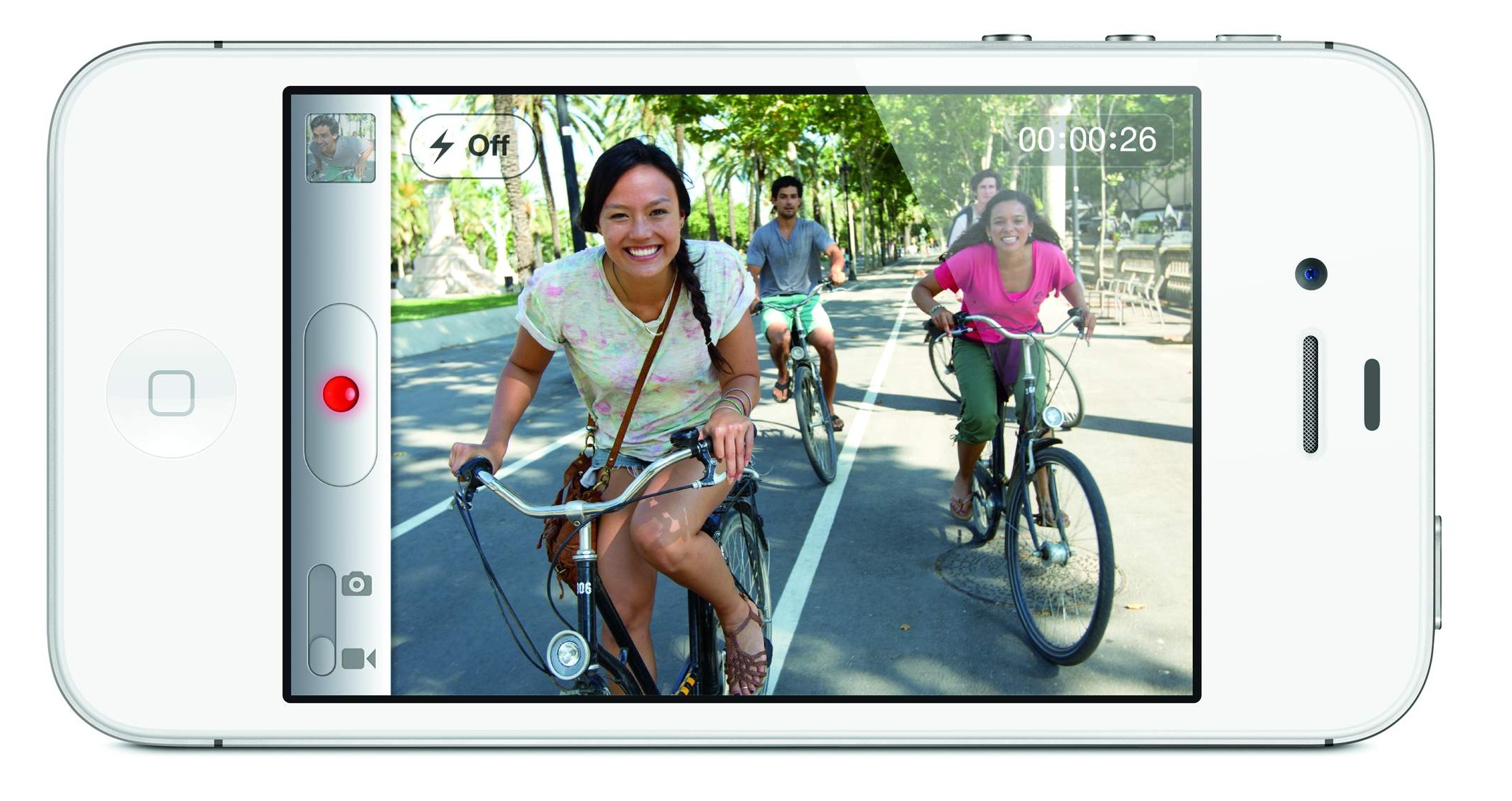
Take a photo with your headphone cord: Now that you can use the volume up or down buttons to snap a photo, steady your hand while framing up the photo and when you're ready to take the picture, press the button on the cord so it won't shake the iPhone. Voila!
Dry out a wet iPhone: You're not the first one to drop an iPhone in a toilet or sink. If this happens, don't turn it on as you can damage the smartphone by short-circuiting it. Lightly towel dry the phone. Don't use a hairdryer on the phone as it can further push moisture into areas that aren't wet. Submerge the iPhone in a bowl or Ziploc bag of uncooked white rice and leave it overnight. If you have it, try using a desiccant packet you might find with a new pair of shoes or leather purse.
Dismiss suggested words: If you're typing an email or note and the virtual keyboard is suggesting the correct spelling of the word — and you don't want to accept it — you don't need to tap the tiny "X" at the end of the word in question. Simply tap anywhere on the screen to close the suggestion box.
Take photos faster: Even if your iPhone is locked you can double-tap on the Home button and you'll see a camera icon you can tap to open the camera immediately. Now you can use the volume up button to snap the photo, too. You can also use the volume up on the headphone cord to take a photo (if you want to) and pinch the screen to zoom instead of using the slider bar.
Use location-based reminders: You probably know Siri can be used to set a reminder, like saying "Siri, remind me to call mom at 4pm today." But did you know you can set location-based reminders on your iPhone 4S? Say "Remind me to call mom when I leave here" or "Remind me to call mom when I get home" and you'll be notified accordingly.
Get word definitions: Apple has recently added a built-in dictionary and you can access it in most apps that let you select a word. Simply press and hold on a word — such as in an email, reminder, iBooks, and so on — and you'll see a pop-up option for "Define."
Revive a frozen iPhone: If your smartphone freezes on you and pressing the Sleep/Wake button on top of the device doesn't do anything, don't panic. Instead, press and hold the Home button and the Sleep/Wake button at the same time. You'll be prompted to swipe the "Slide to Power Off" tab. This so-called "hard reset" resuscitates the frozen iPhone. You'll first need to wait through a full shut down and restart.
Get more done in less time: You can create shortcuts to words and phrases you use a lot, such as Northern California Association for Employment in Education. In Settings, go to General, then Keyboard, and select Add New Shortcut. Now you can add new words or phrases and assign shortcuts to them (such as "NCAEE," in the above example, and it'll type out the full word each time.
See a 6-day weather forecast: If you're one of the many weather junkies out there, you probably know you can swipe down the iOS device's screen and you'll see the Notifications center. Weather will be at the top, but did you know you can swipe to the left or right and you'll toggle between current conditions and a 6-day forecast? Plus, jump to the Weather app by tapping anywhere on the weather bar inside Notifications screen.
Select URL domains faster: When typing a website address in Safari, you don't have to type the ".com." For example, you can type "yahoo" in the URL box to get to yahoo.com. On a related note, you can press and hold down the .com button and you'll see a list of alternatives to choose, such as .net, .org and .edu.
Make your own ringtone: Don't settle with the ringtones provided by Apple and you need not pay your carrier for more of them. As the name suggests, the free Ringtone Maker app lets you take a clip from your favorite songs and make ringtones out of them in seconds.
Feel and see when people call: Apple has added a number of accessibility features to iOS 5, specifically designed to assist those with hearing, vision, mobility and other disabilities. For example, those who are hearing impaired might opt to have the LED flash when a call comes in. If you're seeing impaired, you could set a unique vibration pattern for different people in your Contacts, so you know who's calling.
Find your lost iPhone: As long as you sign up in advance, the free Find My iPhone app will help you locate your device on a map (on your computer or other iOS device). You can display a message or initiate a loud ring (in case it's under the cushions), or remotely lock or wipe its data.
Save photos in Safari: You're surfing the web in Safari and stumble upon a photo you'd like to save. Simply press and hold on a photo when on a website and you'll be prompted with a menu asked if you'd like to "Save Image." Once the photo is saved, you can view it offline, email it or set it as wallpaper.
Take an iPhone screen grab: On a related note, if you want to take a screenshot of a website or application, press down on the Home button and tap the Sleep button. You'll hear the camera click, see a white flash and the screenshot will be saved to your Camera Roll.
Get new sounds: It's been a long time coming, but Apple has added the ability to select custom tones for incoming text messages, new emails, voicemails, tweets, calendar alerts, reminders and more. You can select something you like from within the Sounds menu. You'll also notice you can scroll to the top of this list of sounds and you'll see a "Buy More Tones" option, which takes you to iTunes.
Zip to the top of the page: In Mail, Safari, Contacts and other apps, simply tap the status bar at the top of the screen — the area that displays time, battery and cell bars — to jump back to the top quickly.
Prolong your battery: Speaking of the battery, here's how to squeeze more life out of your iPhonebetween charges. Turn down the brightness of your screen, turn off wireless radios you don't use (such as GPS, Wi-Fi or Bluetooth) and reduce the number of apps with info you have "pushed" to your phone. Also, make sure you lock it before putting in your pocket, purse or backpack or else it could turn on and drain the battery.
Spread out the keyboard for easier typing: Here's a tip for iPad users: If you like typing while holding the tablet, rather than stretch your fingers or thumbs for those middle letters like G, H, Y or B, you can drag the keyboard to each side of the screen to separate it into two, allowing you to easily type while holding it.
Learn some gestures: Close any app ridiculously fast by putting your four fingers and thumb stretched on the screen and pinch inwards. Sweet! You can also magnify what's on your iPhone screen with a three-finger tap. You'll first need to go to Settings, General, Accessibility, and select the various gestures options here.
Create an "app" out of a website you visit often: To add a website to your Home screen, just visit the webpage in Safari and at the top of the screen, tap the Go To icon and select "Add to Home Screen."
Create a music playlist on the fly: You no longer need a computer to create a playlist. In the Music app, tap Playlists, then select Add Playlist and give it a name ("Marc's Workout Mix"). Now, tap any song (or video) to add it to the playlist. You can add individual songs, entire albums, or all songs by a particular artist.
Don't waste your day deleting messages individually: You can delete unwanted emails en masse rather than deleting one at a time. In your Inbox, simply click the Edit button and check off the emails you want to delete with your finger and then choose Delete.
Keep track of your texting limits: If you don't have the best texting plan and don't want to unnecessarily pay to send more texts than you need, here's a tip to turn on the character count in the Messages app. Enable this in the Settings>Message option to keep an eye on your word count. Usually, your one text becomes two after 160 characters.
Mirror your iPhone with your TV: If you own an Apple TV, you can instantly and wirelessly share exactly what's on your iPhone 4S or second- and third-generation iPad with your HDTV, connected to an Apple TV — such as games, apps or videos. Simply double-tap the Home button, swipe all the way to the right and select AirPlay Mirroring.

Thursday, July 5, 2012

Malware may put Internet offline to thousands this Monday - how to make sure ‘DNS Changer’ doesn’t harm you


 To do a quick check on the health of your computer, visit www.dns-ok.us. If you see a red background, your machine has been infected. If you see green, that's good - though the site notes there's still a chance your computer is infected.

JOHN AMIS/AP

To do a quick check on the health of your computer, visit www.dns-ok.us. If you see a red background, your machine has been infected. If you see green, that's good - though the site notes there's still a chance your computer is infected.

Tens of thousands of Americans whose computers are infected with malware will lose Internet service Monday. Here's a quick explanation of what led to this impending Internet blackout and how you can avoid being left in the dark.
Over a year ago, hackers used an online ad scam to infect more than 570,000 computers around the world with malware called DNS Changer that could make the devices carry out tasks without their owners' knowledge. The FBI wanted to shut down the servers that the hackers were using to control the infected computers, but they realized that the victims of the hack would suddenly lose Internet service if they did so.
The feds set up a transitional system that allowed them to take down the hackers’ servers while still allowing computers affected with the malware to get online.
But they’re set to pull the plug on that system at 12:01 a.m. Monday, July 9 - after that, anyone with an affected machine will be kicked off the Internet until they rid their computer of the malware.
So how can you avoid being among those who lose Internet?
First, it's important to note that if your computer is infected with DNS Changer, your antivirus software won't help. And if you use a Mac, don't think you're immune - Comcast reports that they've already spotted the malware on several Apple computers.
To do a quick check on the health of your computer, visit www.dns-ok.us. If you see a red background, your machine has been infected. If you see green, that's good - though the site notes there's still a chance your computer is infected.
To make sure that your computer is malware free, go to www.dcwg.org, the website of the DNS Changer Working Group, a collection of experts the FBI recruited to deal with this hack attack.
Click on the word "Detect" and scroll down to the section labelled "Manually Checking if your DNS server have been Changed." Click on the option for your operating system and follow the illustrated step-by-step guide.
Your Internet service provider (ISP) might also be able to help you if you think your computer's been hit. Scroll down to the very bottom of www.dcwg.org/detect to see a list of ISPs and the pages they've set up for customers who may have been harmed by DNS Changer.
Next, if your computer has been infected, follow the steps listed at www.dcwg.org/fix. The working group recommends backing up all of your important files to an external hard drive, and enlisting the help of a professional if you don't feel comfortable using one of the "self-help" malware cleanup guides they provide.
With News Wire Services


Thursday, June 21, 2012

iPhone rumors: New Apple dock and cord?


John D. Sutter, CNN
A report says the next iPhone will feature a 19-pin port instead of the current 30-pin connector, shown here.
A report says the next iPhone will feature a 19-pin port instead of the current 30-pin connector, shown here


The latest: The blog TechCrunch on Wednesday published a storyclaiming the next-generation iPhone will have a new connection port that's about a third the size of the one on the current model.
The reaction on blogs and on Twitter has been largely negative, with commenters saying the new port -- used to charge the phone and connect it to other devices -- would render obsolete existing chargers and accessories such as speaker sets.
"Every other phone manufacturer decided back in 2008 to conform to the MicroUSB standard, and that's been wonderful," one commenter, identified as Scott Ableman, wrote on the TechCrunch story. "But Apple wants people to feel they have to buy proprietary accessories from them. Don't get me wrong. I respect them as marketers and profiteers. I just hate their contempt for me as a customer."
"Are standards just too easy for Apple to use?" asked Calob Horton, a writer for the blog Pocketables, which focuses on mobile technology. "Does the company feel the need to create its own, proprietary hardware to feel special, more profitable or even more popular?"
He added: "I understand the lust Apple has towards thinness and being able to cram more tech into a small package, but it can be achieved without its own port designs that can make the devices incompatible with other companies' products."
Apple hasn't announced whether or not it's working on a new iPhone, much less confirmed specifications such as the type of dock that will be included, and the company did not respond immediately to CNN's request for comment.
Most observers expect Apple to introduce its next iPhone this fall since the current 4S model was launched last October and the company has a history of releasing upgraded phones each year.
TechCrunch said its report is based on interviews with three independent manufacturers of Apple accessories that said the new iPhone will include a 19-pin dock instead of the current 30-pin model.
In 2003, Apple introduced the 30-pin dock connector on the third-generation iPod. Since then, the port has been a fixture at the bottom of Apple's mobile devices, including the iPhone and iPad. The connection type is proprietary, meaning cords and accessories that use the 30-pin dock only work with Apple devices. Still, the dock has become "insanely ubiquitous," as Pocketables writes, to the point that it's almost a standard of its own.
It's unclear if the new dock will be another only-Apple standard.
Writing for the site ZDNet, Jason D. O'Grady said the new port "presumably" adheres to the Micro USB standard, which is used on most other mobile phones. If that's the case, he said, the switch could have all kinds of advantages, including saving consumers money (a 30-pin cord from Apple costs $19; Micro USB cords start at less than $1) and making it easier for Apple to comply with a European law that requires Micro USB ports on new mobile phones. (Apple gets around this by selling an adapter in Europe.)
Either way, if the Apple standard changes, iPhone owners may be left, as @shmidtb writes on Twitter, with "a bunch of worthless cords" on their hands

Wednesday, May 23, 2012

The FB IPO selective disclosure stories just keep getting worse. If true, an absolute outrage. Come on, Wall St!!

CNN May 23 Sallie Krawcheck@SallieKrawcheck:

To say its been a rough ride for Facebook's IPO would be an understatement.
And as the social media giant edges toward the close of its first week of trading, questions are swirling about the company's valuation, its profitability and now allegations that full details of the stock's likely value were shared with only a select group of people.
Did some people get a heads-up Facebook's IPO wasn't what it seemed?
Regulators are now looking into the possibility that Facebook's Wall Street investment banks may have tipped off some clients that Facebook wasn't necessarily a great buy or worth the hype it was receiving, according to reports Wednesday from Reuters and several other news organizations.
“Facebook changed the numbers – they didn’t forecast their business right and they changed their numbers and told analysts,” a person at one of Facebook’s banks told Reuters.
The big question is: Did certain privileged customers receive information about the Facebook offering that you as an individual investor might not have?
Rick Ketchum, head of the Financial Industry Regulatory Authority, an independent regulatory body, acknowledged in an article from Reuters that a Morgan Stanley analyst reduced his revenue projections for Facebook shortly before the offering and shared the information with institutional investors.

And now Facebook shareholders have filed a lawsuit against the social network, CEO Mark Zuckerberg and a number of banks, alleging that crucial information was concealed ahead of Facebook's IPO. The lawsuit, filed in the U.S. District Court in Manhattan on Wednesday morning, charges the defendants with failing to disclose in the critical days leading up to Friday's initial public offering "a severe and pronounced reduction."
Facebook defended themselves on Wednesday saying they "believe the lawsuit is without merit and will defend ourselves vigorously."
The report, and now the lawsuit, raises questions about whether Morgan Stanley, one of the underwriter companies that handled Facebook's IPO, or other banks knowingly offered certain investors privileged information that should have been made public. Other underwriters targeted by the lawsuit include Barclays Capital, Goldman Sachs, JPMorgan Chase and Merrill Lynch, a unit of Bank of America.
It is possible that Morgan Stanley may have signed off on a price that was too high or agreed to sell too many shares in the deal, CNNMoney.com reports. Then, Morgan Stanley analysts are alleged to have told certain people they had a negative assessment of the social network's offering.
"If true, the allegations are a matter of regulatory concern to FINRA and the [Securities and Exchange Commission]," Ketchum said in a statement via a spokeswoman.
The New York Times reported Morgan Stanley did more than just quietly share a negative outlook; they actually "held conference calls to update their banks' analysts on business."
"Analysts at Morgan Stanley and other firms soon started advising clients to dial back their expectations," the article says. "One prospective buyer was told that second-quarter revenue could be 5 percent lower than the bank’s earlier estimates."
Sallie Krawcheck, Bank of America's former head of wealth management, took to Twitter to share her outrage about the allegations

Tuesday, May 22, 2012

Apple's new 'spaceship' campus: What will the neighbors say?

By Doug Gross, CNN
updated 5:12 PM EDT, Tue May 22, 2012
Apple's second campus in Cupertino, California, is scheduled to be completed in 2015. The campus will cover 2.8 million square feet and house 13,000 employees. Apple's second campus in Cupertino, California, is scheduled to be completed in 2015. The campus will cover 2.8 million square feet and house 13,000 employees.
CNN -- It will cover 2.8 million square feet and have its own power plant inside its massive, gleaming circular design.
It will be covered in solar panels and house up to 13,000 people on a daily basis -- not to mention 6,000 trees.
It's been compared to a spaceship. And now, as Apple looks to make its innovative new headquarters a reality, it's checking with the neighbors.
Due to be completed in 2015, Apple's new headquarters may be one of co-founder Steve Jobs' final, longest-lasting legacies.
This week, Apple reached out to residents of Cupertino, California, where its current headquarters resides (and will continue to after the new campus is built). In a letter obtained by blog 9to5 Mac, the company seeks to allay some concerns that its neighbors have expressed since the plan was submitted to the city last summer.

2011: Jobs' pitch for a new Apple campus
According to the letter, the four-story building will be a research facility that will not replace the existing campus on 1 Infinite Loop. And it will not be open to the public, so there will be no museum or corporate store.
The building will contain an auditorium that seats 1,000 and will be used for special events like product unveilings, though.
The letter, from Apple Chief Financial Officer Peter Oppenheimer, says the company plans to break ground on the site as soon as Cupertino gives its approval, which is expected this year.
Neighbors are invited to send Apple a letter or go to the city's website to express any concerns.
In the suburban city of roughly 58,000 people, the primary concerns have focused on additional traffic and environmental impact, both of which Apple says it is addressing in the design of the campus, which is expected to get LEED (Leadership in Energy and Environmental Design) certification as an environmentally friendly project.
The new campus was one of the last major initiatives for Jobs, who died last year.
In 2010, when HP abandoned its Cupertino campus, Jobs quietly arranged to buy the site, according to Walter Isaacson's biography, "Steve Jobs."
"I want to leave a signature campus that expresses the values of the company for generations," Jobs told Isaacson.
A team of 50 architects was hired, and Jobs, as was his habit, was intimately involved in the details, according to the book.
Much of the campus sits on the former site of an apricot orchard, and Jobs required that 80% of the campus be natural, with more than 6,000 trees. Apple hopes to raze 26 buildings on the site to make room for the "spaceship," which will be surrounded by grass and trees.
A June 7 City Council meeting was one of Jobs' last public appearances.
At the meeting, he spent about 20 minutes introducing the project and answering questions.
"It's a little like a spaceship landed," he said as council members got their first look at the design. "I think the overall feel of the place is going to be a zillion times better than it is now.
"I think we do have a shot of building the best office building in the world. I really do think architecture students will come here to see this. I think it could be that good."

Thursday, April 26, 2012

Google launches free cloud service 'Drive'

Published April 24, 2012Associated Press

Google launches free cloud service 'Drive'E, Calif. –  Google is hoping to build the world's largest digital filing cabinet in the latest attempt to deepen people's dependence on its services.
The Internet search leader's latest product stores personal documents, photos, videos and a wide range of other digital content on Google's computers. By keeping files in massive data centers, users will be able to call up the information on their smartphones, tablet computers, laptops and just about any other Internet-connected device.
Google Inc. announced the long-rumored service Tuesday. Called Google Drive, the service is offering the first five gigabytes of storage per account for free. Additional storage will be sold for prices starting at $2.49 per month for 25 gigabytes up to $49.99 per month for one terabyte, equivalent to five laptops with 200-gigabyte drives.
Google Drive is initially available for installation on Window-based computers, Mac computers, laptops running on Google's Chrome operating system and smartphones powered by Google's Android software. A version compatible with Apple Inc.'s iPhone and iPad is due in the next few weeks.
It may be several weeks before Google Drive is available throughout the world.
The new service represents Google's attempt to muscle into a market that is turning into the Internet's version of storage wars. It comes nearly five years after word first leaked out that the company was developing an online file storage service, then called Gdrive, that never came to fruition. Google made light of those rumors in comparing Google Drive's announcement to the sighting of the Loch Ness Monster.
The early leader in the battle so far has been the San Francisco startup, Dropbox Inc., which raised $257 million in venture capital and attracted more than 50 million users since it was founded in 2007 by two graduates from the Massachusetts Institute of Technology. Dropbox says its users collectively store about 1 billion files every two days.
While Dropbox has emerged as the early favorite among consumers, another startup called Box Inc. has carved a niche offering online storage for businesses. Founded in 2005, Box has raised $162 million in venture capital and says about 120,000 companies, including most of the Fortune 500, have set up accounts.
Google is also trying to catch up to Apple, which last year introduced a storage service called iCloud that primarily caters to iPhone and iPad owners, and Microsoft Corp., which gives away seven gigabytes of free storage on its SkyDrive service.
Google is hoping to differentiate its storage service by equipping it with more convenient and powerful tools. The service will draw upon the company's expertise in Internet technology for text and images to make it easier to find data quickly. It also includes optical character recognition that can search for specific words contained in scanned newspapers or other sources.


Read more: http://www.foxnews.com/scitech/2012/04/24/google-launches-free-cloud-service-drive/#ixzz1tA4VDZCb